Your phone was at full charge this morning and it is already asking for a charger by mid-afternoon. Sound familiar? Battery life depends on two separate things: how much power the phone uses each day, and how healthy the battery itself stays over months and years. This guide covers both, with settings you can change in a few minutes and habits that slow down long-term wear.
Key Takeaways
- The screen and weak mobile signal are usually the biggest daily drains.
- Heat is the main enemy of long-term battery health.
- Partial top-ups are fine; you do not need to run the battery down to zero.
- Your phone’s battery usage screen shows exactly which apps are costing you power.
Why Phone Batteries Lose Capacity
Almost every modern phone uses a lithium-ion battery. These batteries wear chemically as they go through charge cycles, so the amount of energy they can hold slowly shrinks over time. That process cannot be stopped, but it can be slowed. The factors that speed it up most are high temperatures and spending long periods at a completely full or completely empty charge.
This is why a two-year-old phone often lasts noticeably less than it did on day one, even with the same apps. Some of the drain is the battery ageing, and some is software doing more work than it used to. Separating those two causes helps you decide whether to change settings or plan for a battery replacement.
Settings That Cut Daily Drain
Start with the changes that make the biggest difference for the least effort. Most of them live in your phone’s display, battery and privacy settings.
- Lower screen brightness or use auto-brightness. The display is one of the most power-hungry parts of any phone.
- Shorten the screen timeout. Thirty seconds to one minute is plenty for most people.
- Try dark mode. On phones with OLED screens, dark pixels use less power, so dark themes can help.
- Limit background activity. Turn off background refresh for apps that do not need fresh data the moment you open them.
- Review location access. Set apps to use location only while in use, or not at all.
- Trim notifications. Every alert wakes the screen and often the radio as well.
- Use the built-in power saving mode when you know it will be a long day away from a charger.
Reviewing app permissions has a second benefit: fewer apps tracking your location is also better for privacy. Our guide to simple steps to protect your online privacy walks through those permission checks in more detail.
Charging Habits That Protect Battery Health
Daily settings help you get through today. Charging habits decide how the battery performs a year from now.
| Habit | Why it helps |
|---|---|
| Keep the phone out of heat | High temperatures speed up chemical wear. Avoid leaving it on a sunny dashboard or under a pillow while charging. |
| Turn on optimized or adaptive charging | Many phones can pause at around 80% overnight and finish charging shortly before you usually wake up. |
| Top up little and often | Lithium-ion batteries do not need full cycles. Short charges during the day are perfectly fine. |
| Avoid running it flat regularly | Frequent deep discharges add stress. Plug in before the low-battery warning when you can. |
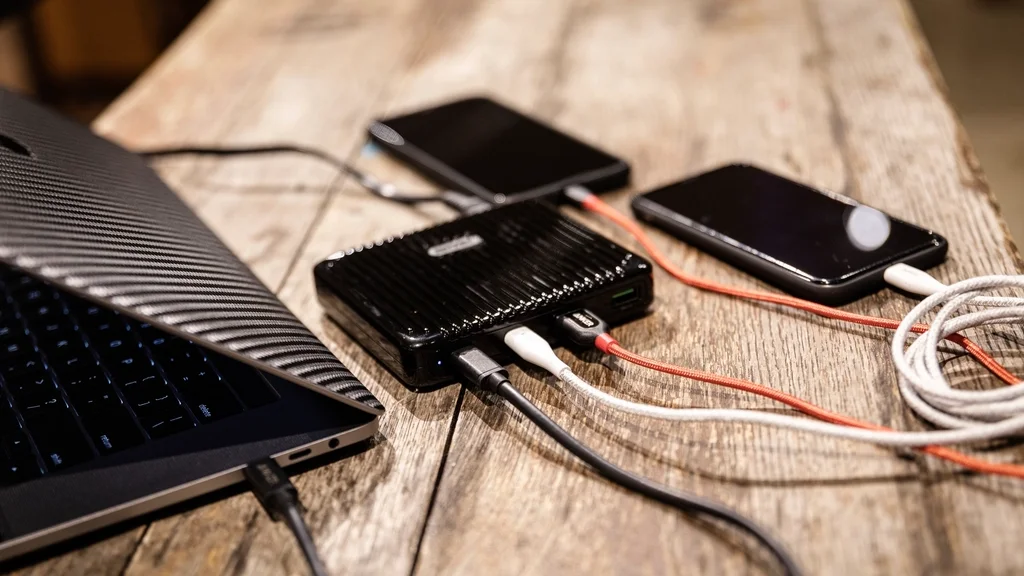
| Use good-quality chargers and cables | Certified or manufacturer-approved accessories regulate power properly and reduce safety risks. |
| Store at a partial charge | If a phone will sit unused for weeks, leave it around half charged rather than full or empty. |
Removing a thick case while charging can also help if the phone feels warm, especially during fast charging or when you are using it at the same time.
Find Out What Is Draining Your Battery
Guesswork wastes time. Open the battery section of your settings and look at the breakdown of usage by app over the last day or so. A few patterns are worth looking for:
- An app you barely opened near the top of the list. It is probably running in the background. Restrict its background activity or check for an update.
- High screen-on drain. This is normal if you used the phone a lot; brightness and timeout are your best levers.
- Heavy drain while the screen was off. Look at background refresh, syncing accounts and location access.
- Mobile network near the top. Weak signal forces the phone to work harder. In poor coverage, using Wi-Fi where available can help.
Keeping the operating system and apps updated matters too. Updates often include fixes for bugs that cause unusual battery drain.
When It Is Time to Replace the Battery
Many phones show a battery health or maximum capacity figure in settings. When that number has dropped a long way, the phone shuts down unexpectedly, or it only lasts a few hours despite your best settings, a battery replacement is often far cheaper than a new phone. Use the manufacturer or a reputable repair shop so the replacement part is safe.
One warning sign needs immediate attention: if the battery looks swollen, the screen or back is lifting, or the phone gets unusually hot, stop using and charging it and have it checked by a professional.
Want more straightforward tech help? Browse our tech section for other everyday guides, and you’ll find practical articles across many topics on MyReadingManga.
Frequently Asked Questions
Is it bad to charge my phone overnight?
For most modern phones it is fine. They stop charging when full, and many offer an optimized charging feature that holds the battery at a lower level until shortly before you wake. Keep the phone on a hard surface rather than under bedding so heat can escape.
Does closing apps save battery?
Usually not. Phone operating systems already pause apps in the background, and reopening a closed app from scratch can use more power than resuming it. It is better to restrict background activity for specific apps that the battery screen shows are misbehaving.
Should I let my battery drain to 0% before charging?
No. That advice dates back to older battery types. Lithium-ion batteries prefer partial charges, and regularly running them completely flat adds wear. Charging whenever it is convenient is the better habit.
Does fast charging damage the battery?
Fast charging produces more heat, but phones are designed to manage it and usually slow down as the battery fills. Using approved chargers and keeping the phone cool while it charges keeps any extra wear to a minimum.